
Streamline Your Bidding Process
Compare Bids Side-by-Side
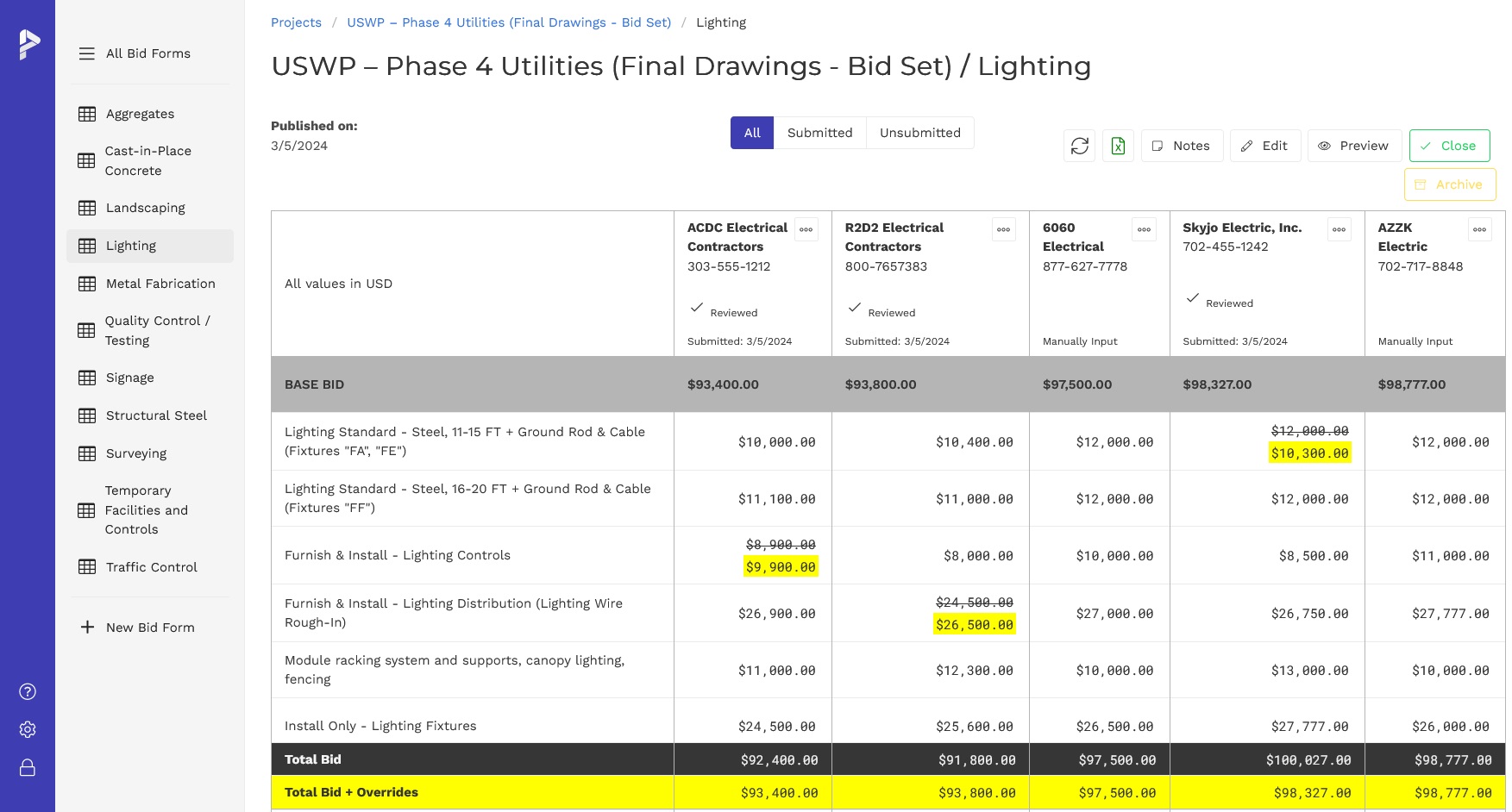
Compare bid form line items side-by-side to identify any glaring differences and find scope discrepancies.
Level Bids
Enter plug numbers or overrides and level bids. Automatically recalculates total adjusted bid and sorts bids low to high. Export Bid Leveling Summary to Excel.
Create Bid Forms Easily
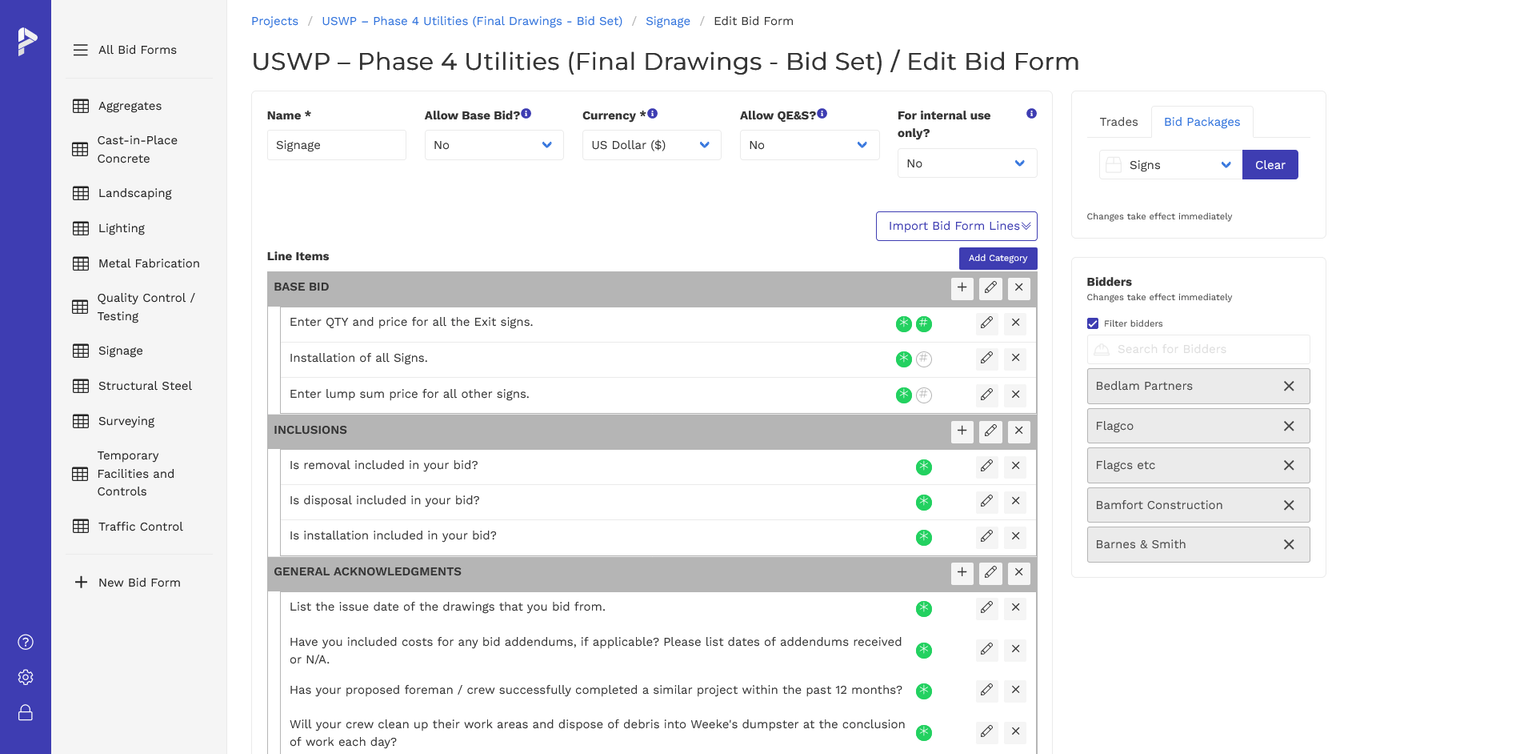
Create custom bid form templates manually, copy from prior projects, or import from Excel. Line items can be lump sum, unit quantities and prices, yes/no questions, instructions, or even free-form text for subcontractors to fill out.
Import Bid Forms
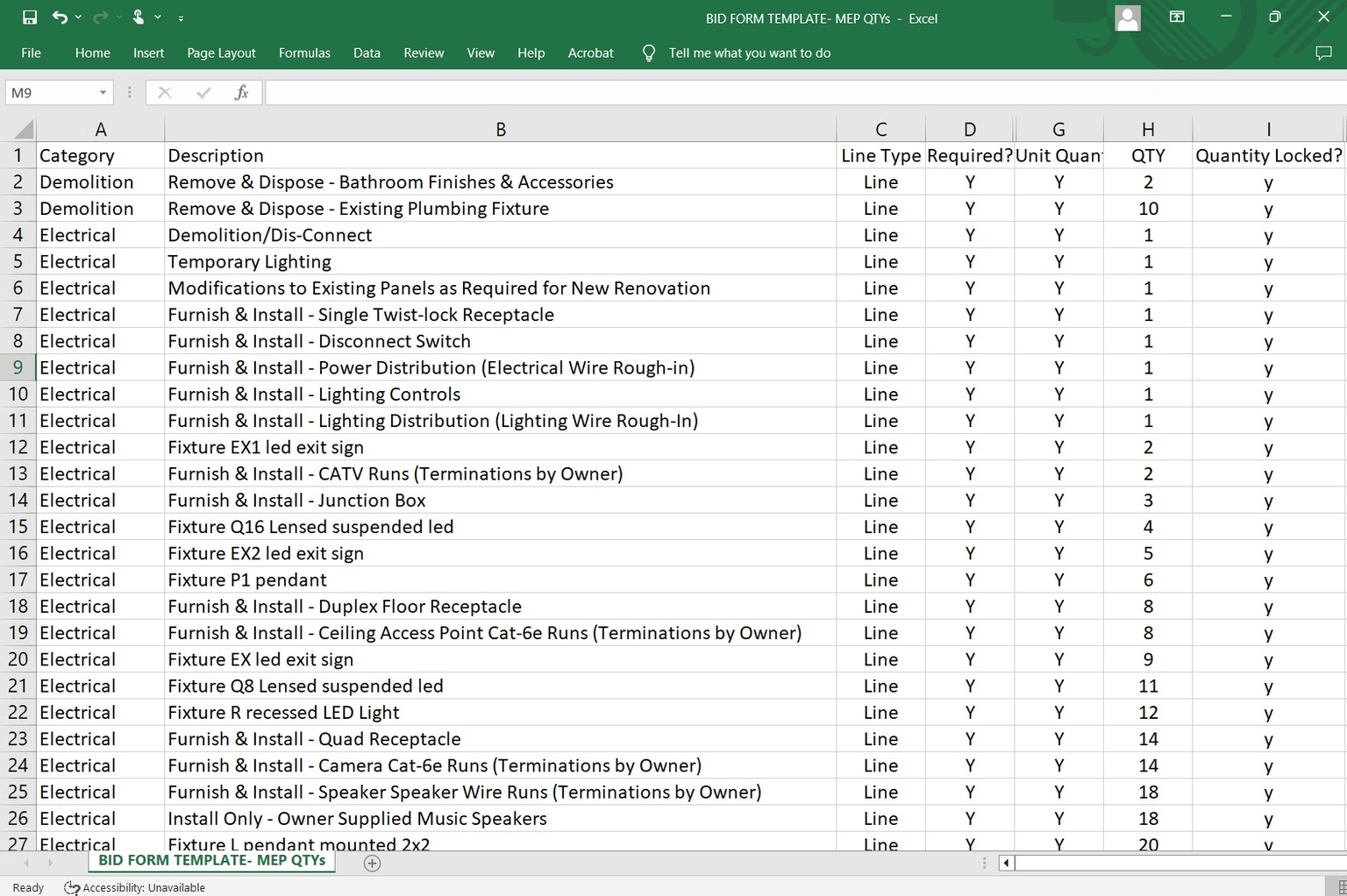
Option to import Bid Form line items from Excel into a new or existing form, including all line item types. For Unit QTY line items, you have the option to lock QTY and have vendors enter prices or vice-versa.
Bid Form Wizard
Our Bid Form Wizard predicts which Bid Form template is the likely template to use, saving time setting up Bid Forms for each project. Users can create an infinite number of Bid Form templates. Bid Forms are not required for every Bid Package.
View history of a vendor's bid revisions
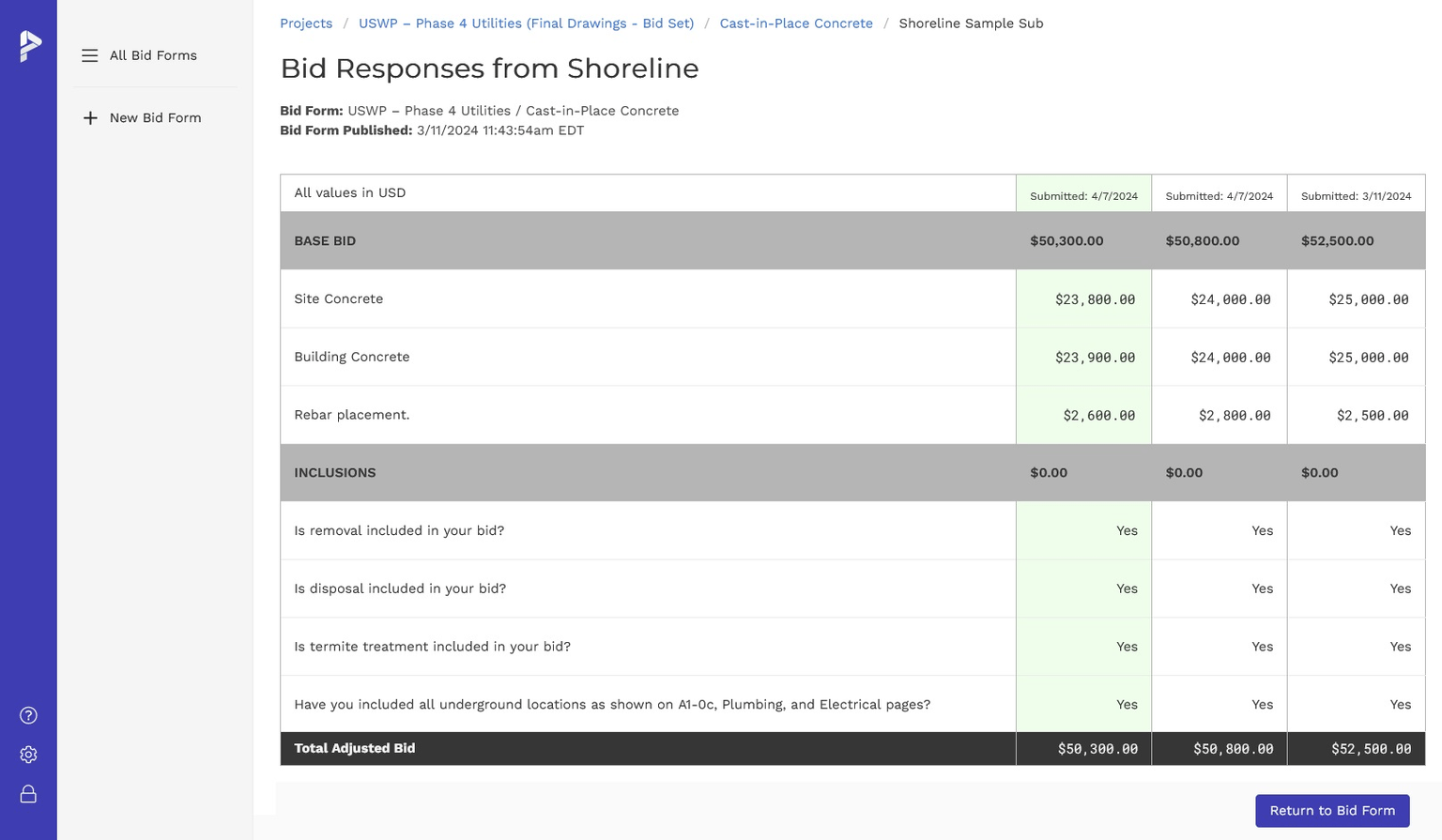
Easily see the history of revisions a subcontractor has made and submitted during the bidding process (if you allow edits).
“We've really utilized the software to help us get better pricing, win more jobs and ultimately make more money for us.”
Bidding basics
What is bid leveling software used for?
Bid leveling software helps estimators compare subcontractor bids on a consistent scope basis, identify exclusions and coverage gaps, and adjust pricing with plug numbers before making award decisions. PreconSuite combines bid tabulation and leveling to compare bids side-by-side, automatically recalculate adjusted totals, and help reduce spreadsheet errors during bid comparison.
To Simplify Your Bid Management Process